How to play Rickshaw.run
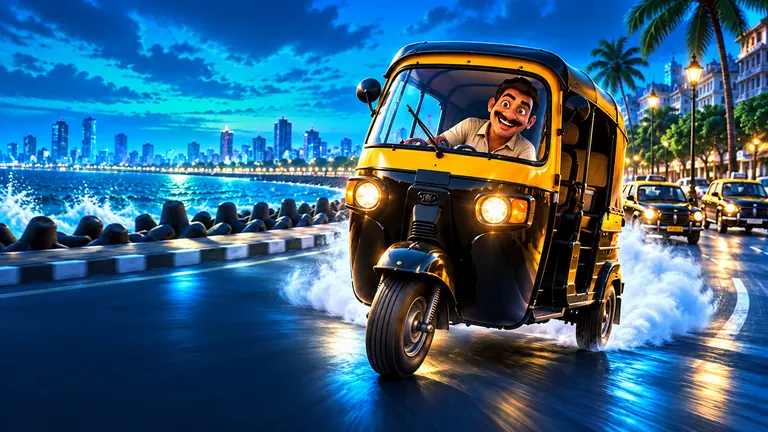
Rickshaw.run is a free multiplayer driving game. Drive an auto rickshaw around Connaught Place, pick up passengers and earn fares while other players drive live in the same city.
Goal
Pick up passengers and follow the arrow to drop them off. Your score is your fare earnings; on-time rides and VIP passengers pay more.
Controls
- Keyboard: W or Up accelerates, S or Down brakes, A and D or Left and Right steer, Space or H sounds the horn and M mutes. Enter starts.
- Touch: Left, Right, GAS, BRAKE and Horn buttons. Slide your thumb between buttons to steer.
Game modes
- Live city: One shared city with other drivers. Invite friends with a room link.
- Daily challenge: One task a day, such as five rides or two VIP passengers, for a bonus reward. Resets at midnight IST.
Tips
- Pick-up and drop-off happen automatically: slow down inside the yellow circle.
- VIP passengers pay three times the fare.
- On-time rides add a bonus, and on-time rides in a row raise your multiplier.
- Pausing stops your auto, but the shared city and ride timers keep running.
Devices and saves
Your best score, name and auto colour are saved in this browser on this device. No sign-up is needed. Rickshaw.run plays with a keyboard on computers and touch buttons on phones.
Rickshaw.run FAQ
Is Rickshaw.run free to play?
Yes. Rickshaw.run is free and runs in your web browser on a phone, tablet or computer. There is nothing to download or install.
How do I pick up a passenger?
Drive to the passenger and slow down inside the yellow circle. Pick-up happens automatically.
Can I play with friends?
Yes. Share your room link and your friends join the same city.
Is there a daily challenge?
Yes. A new task every day at midnight IST, with a bonus reward.